ADB Device Manager Documentation
Complete feature reference for ADB Device Manager. Features work in two modes: ADB Mode (requires USB debugging) and APP Mode (requires companion app). Some features support both modes for flexibility.

Complete feature reference for ADB Device Manager. Features work in two modes: ADB Mode (requires USB debugging) and APP Mode (requires companion app). Some features support both modes for flexibility.
ADB Device Manager uses a layered architecture to provide seamless connectivity between your Windows PC and Android devices. See the Installation Guide →
Flutter Desktop Application
Main ControllerExecute shell & device operations
RESTful & WebSocket requests
Flutter Mobile Application
Device AgentTCP/Protocol Handler
API & WebSocket Server
Direct device control via USB or wireless ADB. Best for screen mirroring, audio streaming, and system-level operations.
Wi-Fi based real-time sync via companion app. Best for notifications, media control, and file transfers.
Mirror your Android screen, stream audio, and control your device directly from your Windows PC with low-latency performance.
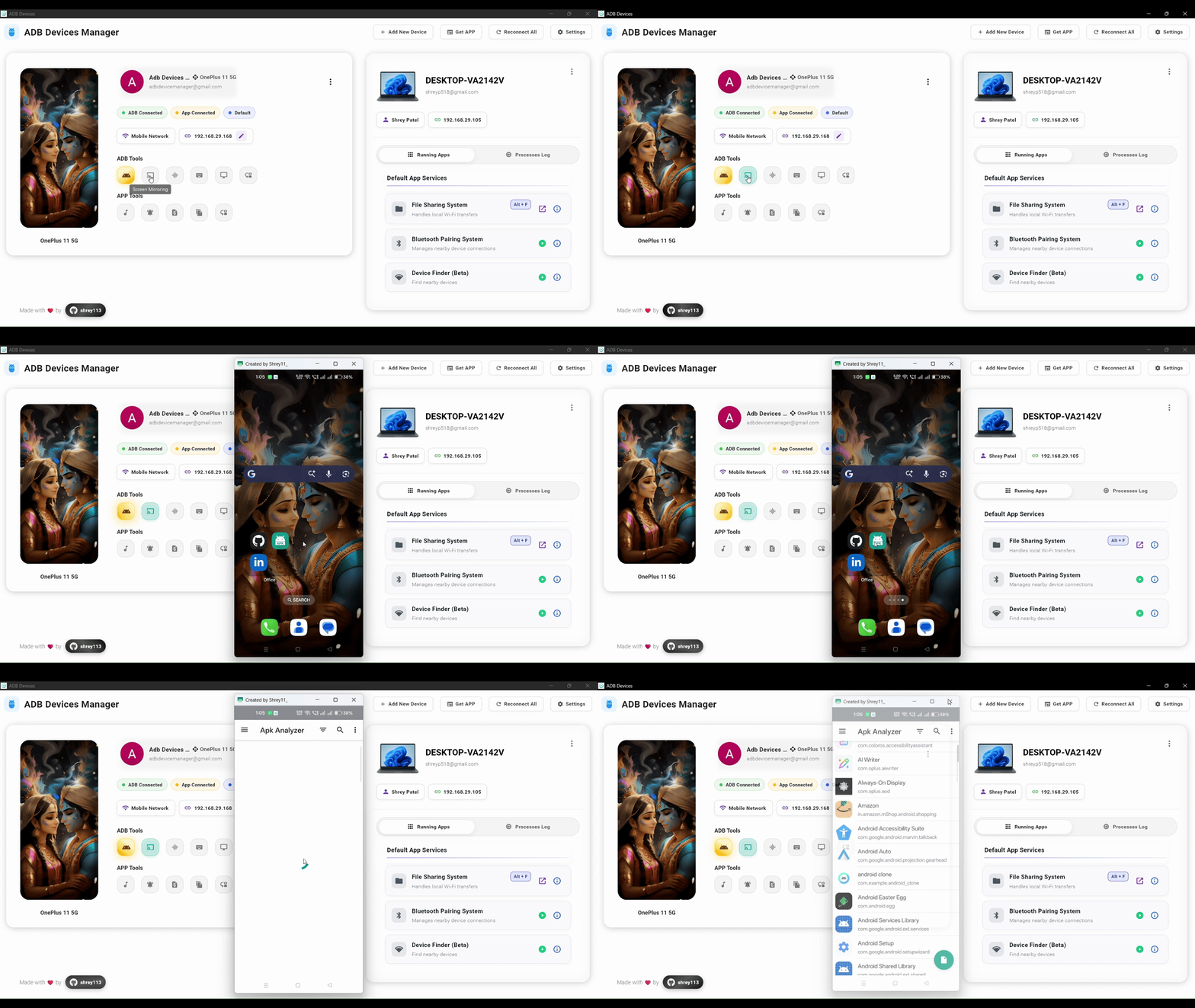
Mirror your Android screen onto Windows using low-latency scrcpy with full mouse and keyboard control. Perfect for presentations, demos, and remote device management.
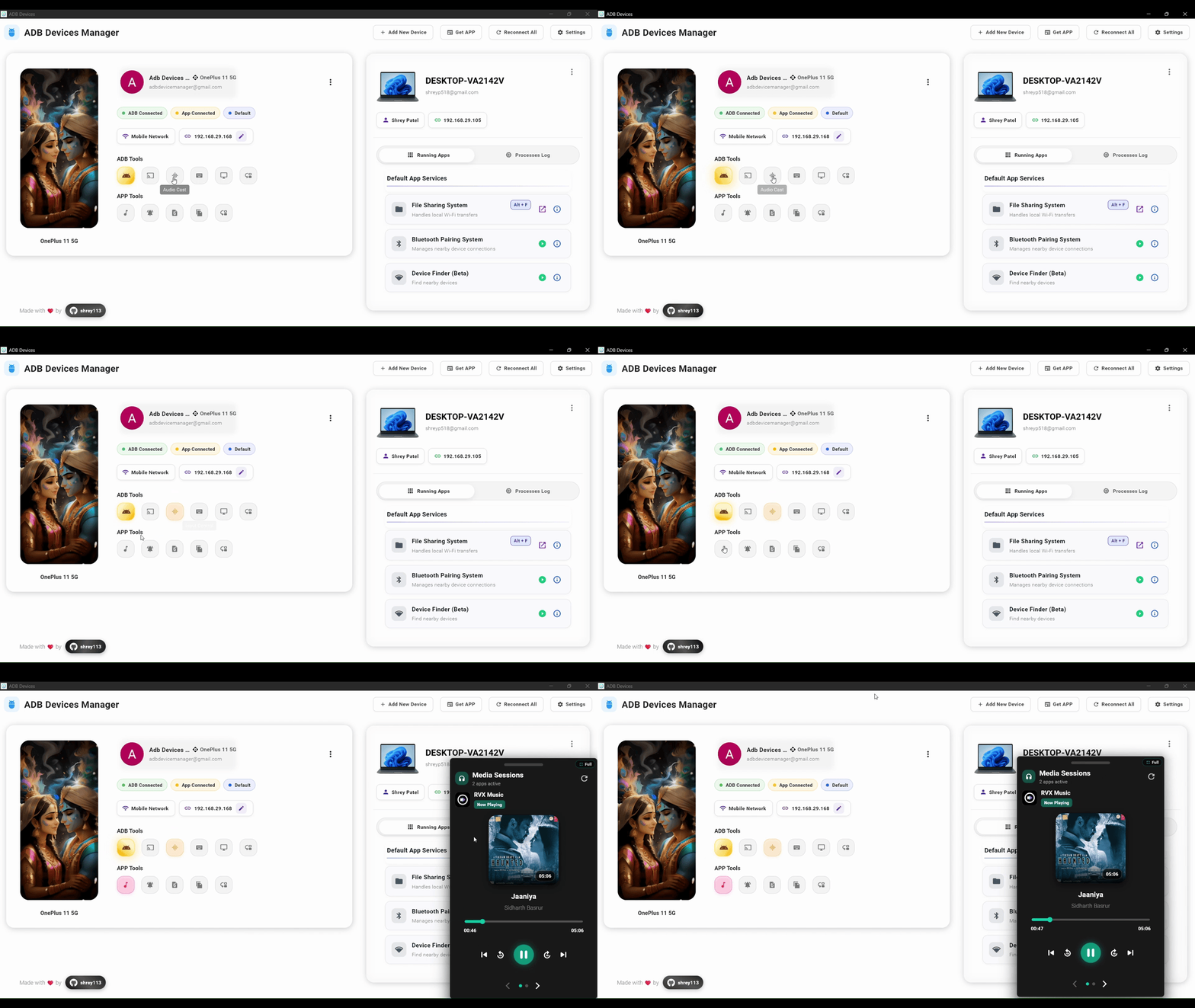
Stream device audio directly to Windows in real time. Listen to music, app sounds, or any audio from your Android device through your PC speakers.
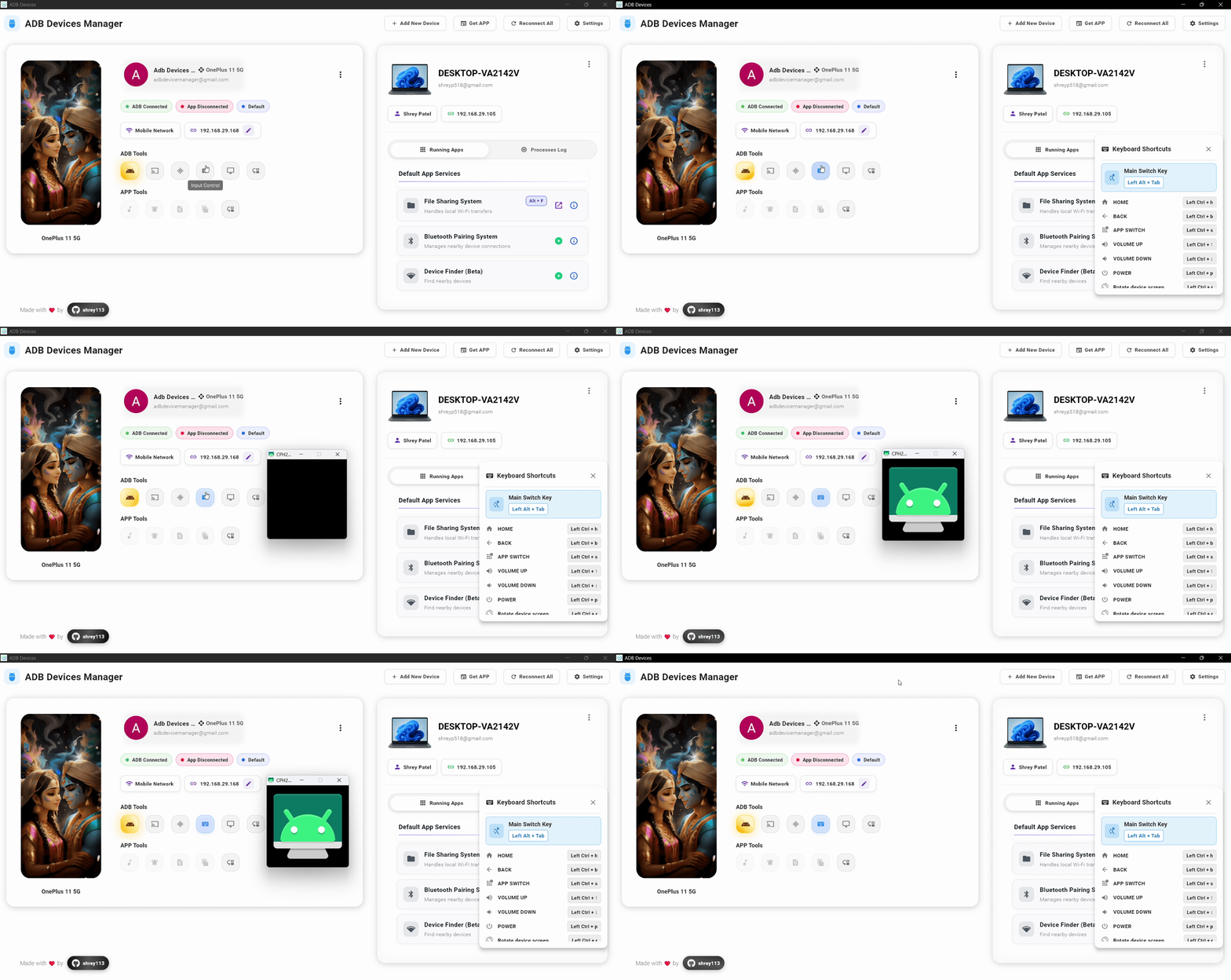
Use your PC keyboard and mouse to control your Android device. Type messages, navigate apps, and interact with your device using familiar desktop peripherals.
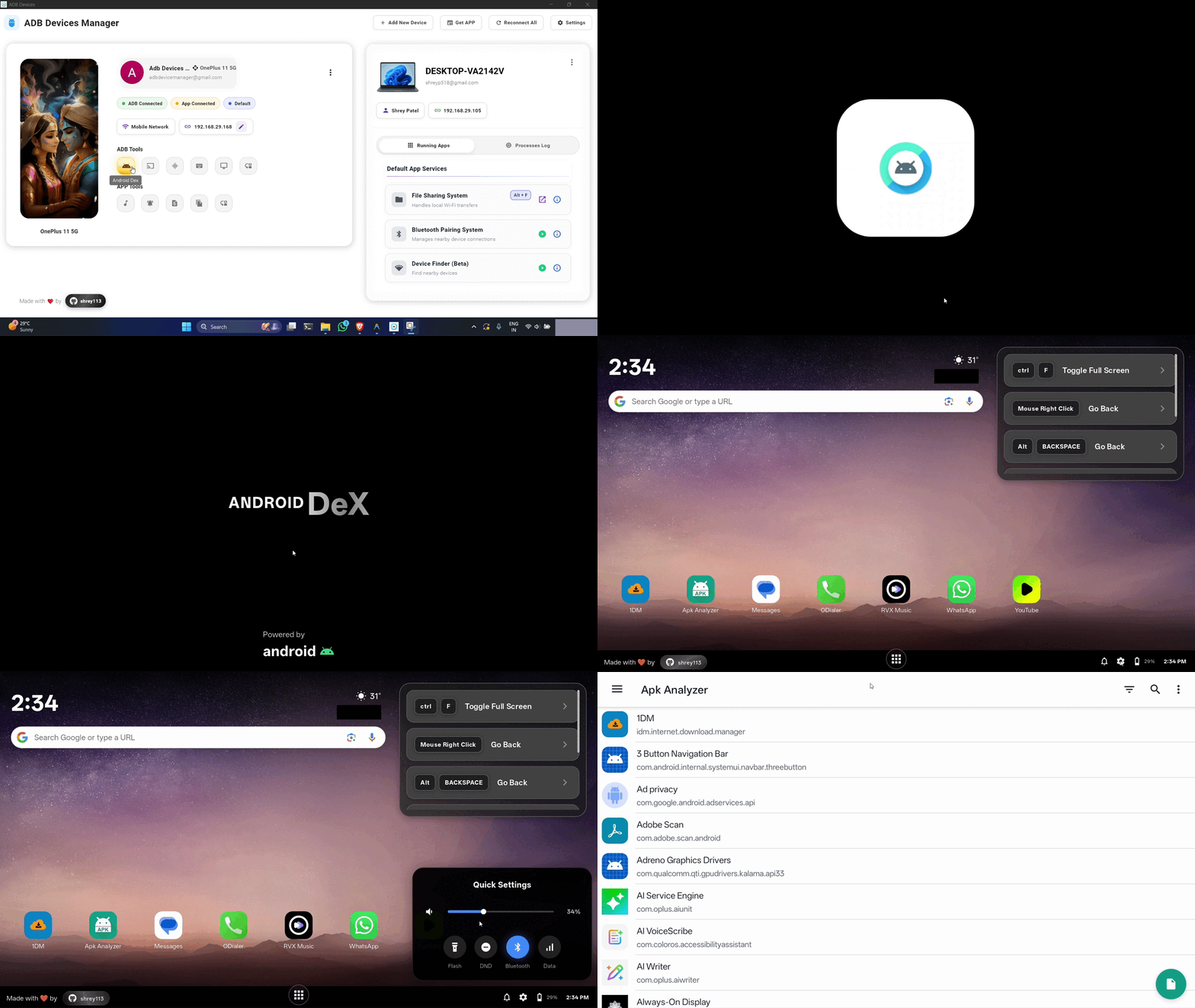
A desktop-style Android environment similar to Samsung DeX. Transform your phone into a full desktop experience with multi-window support, virtual displays (1080p-4K), and three performance modes (60-120 FPS).
Run multiple Android apps at once with independent audio channels. Each app window runs separately, allowing true multitasking on your desktop.
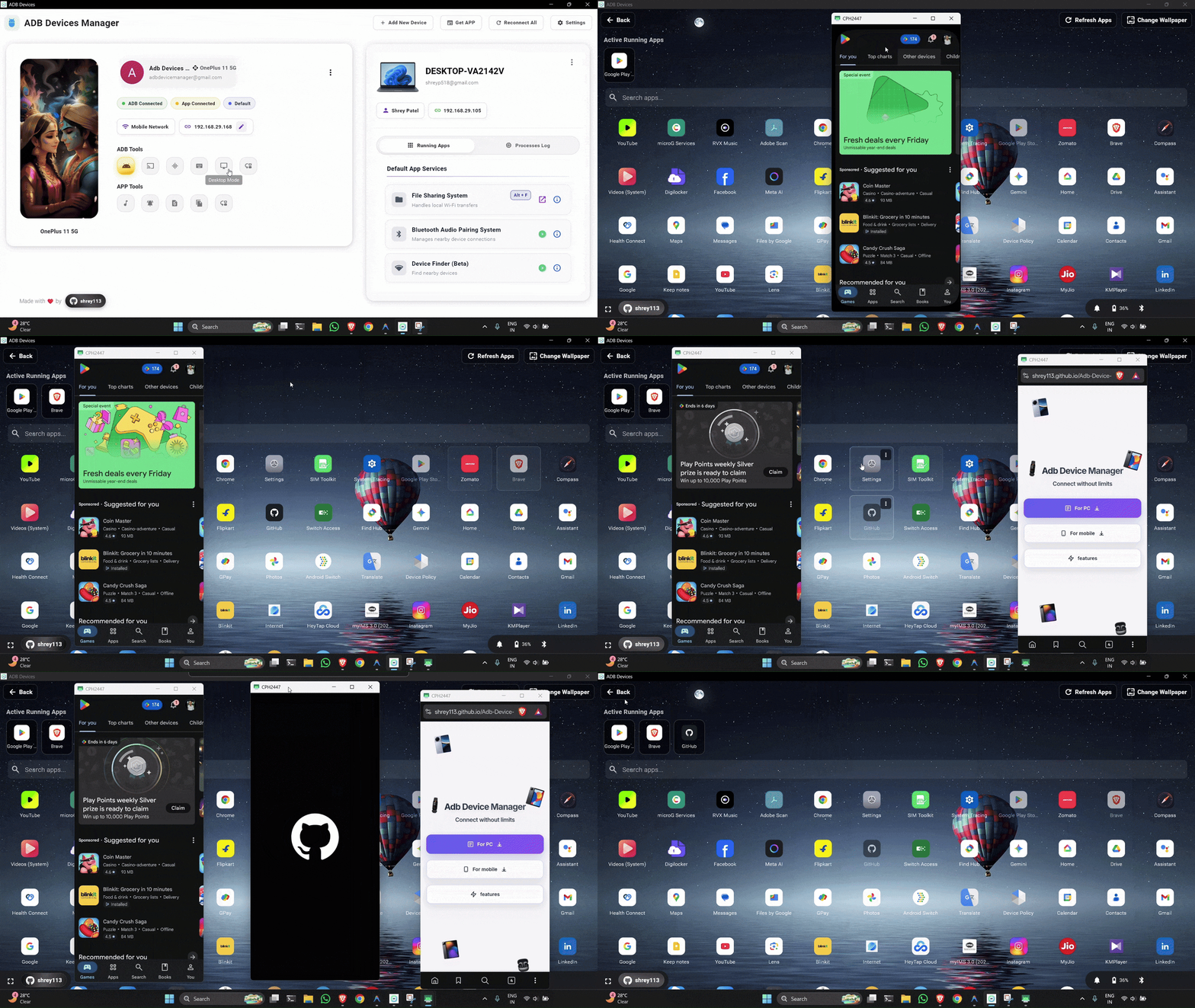
Features powered by the companion app for real-time synchronization and advanced functionality over Wi-Fi.
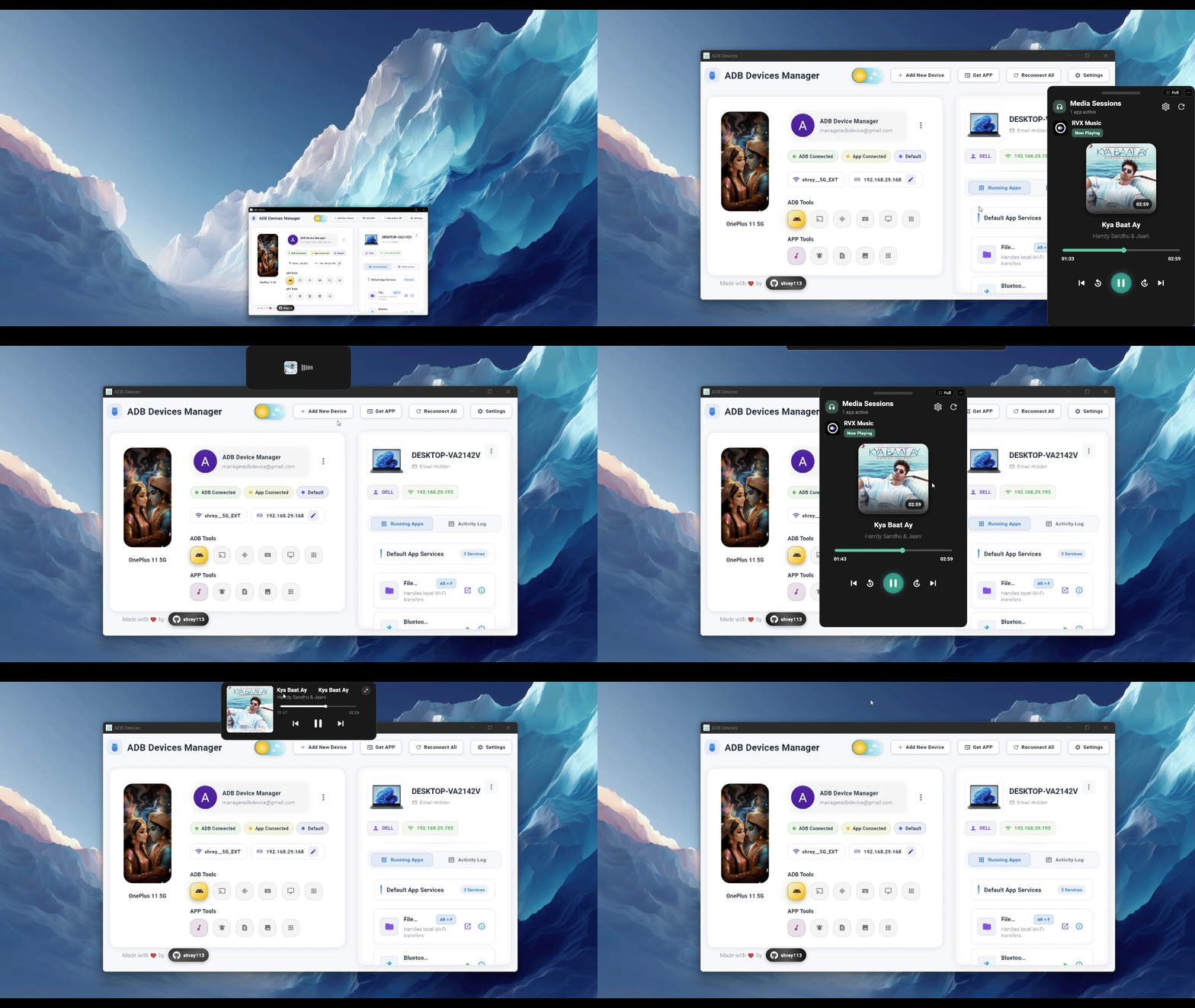
Control media playback with album art and track info. Play, pause, skip tracks, and adjust volume directly from your Windows desktop.
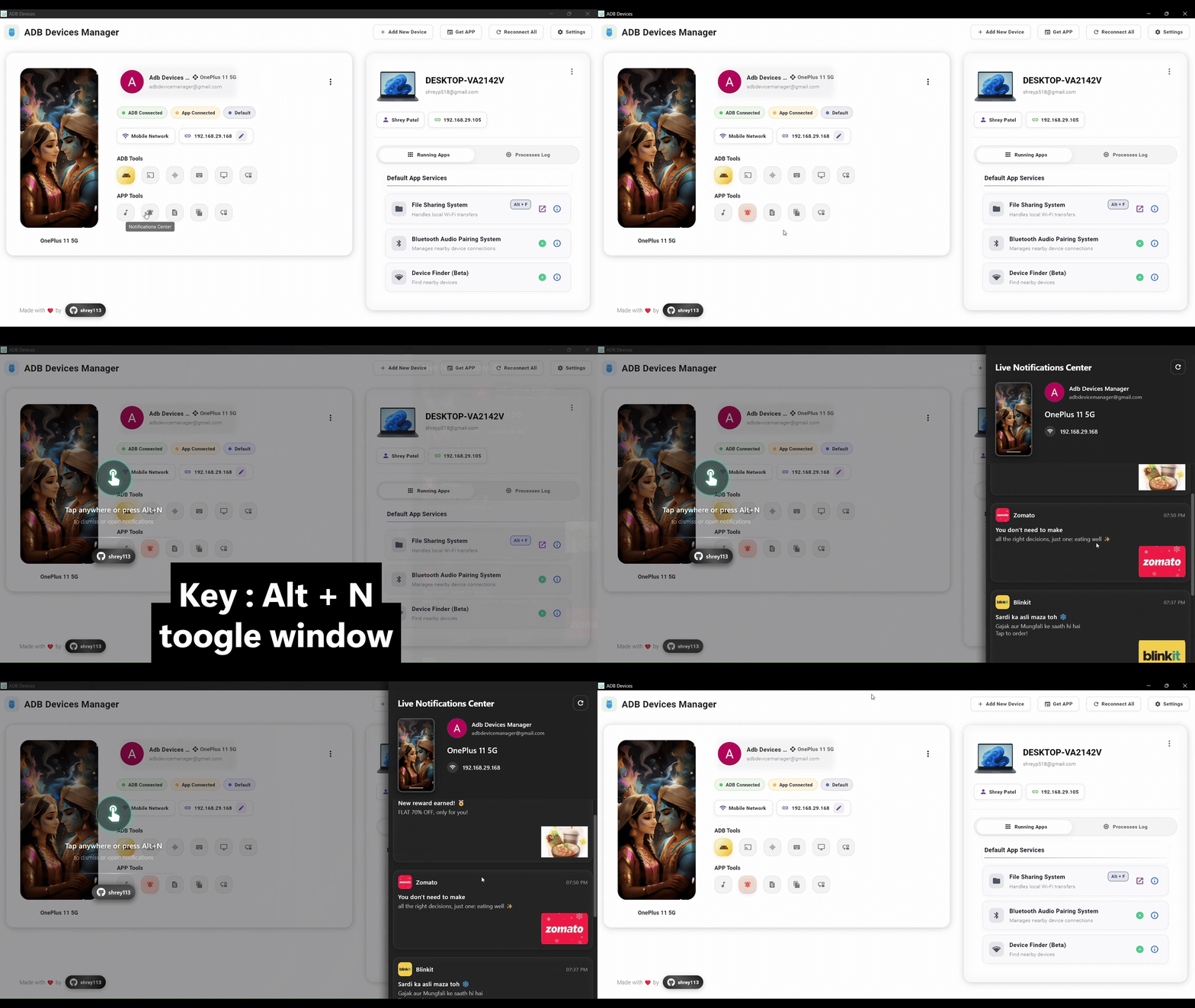
Receive and manage notifications from Android in real time. View all your phone notifications on your PC, reply to messages, and dismiss alerts.
Browse device photos via Wi-Fi using the helper app. View, download, and manage your phone's photo library directly from your Windows PC.
Transfer files quickly from Windows to Android over local Wi-Fi. Drag and drop files to send them to your phone without cables or complicated setup.
Essential device management features including app installation, camera access, contacts, call history, and SMS management.
Install APK files directly from your PC. Drag and drop APK files or browse to install apps on your Android device without transferring files manually.

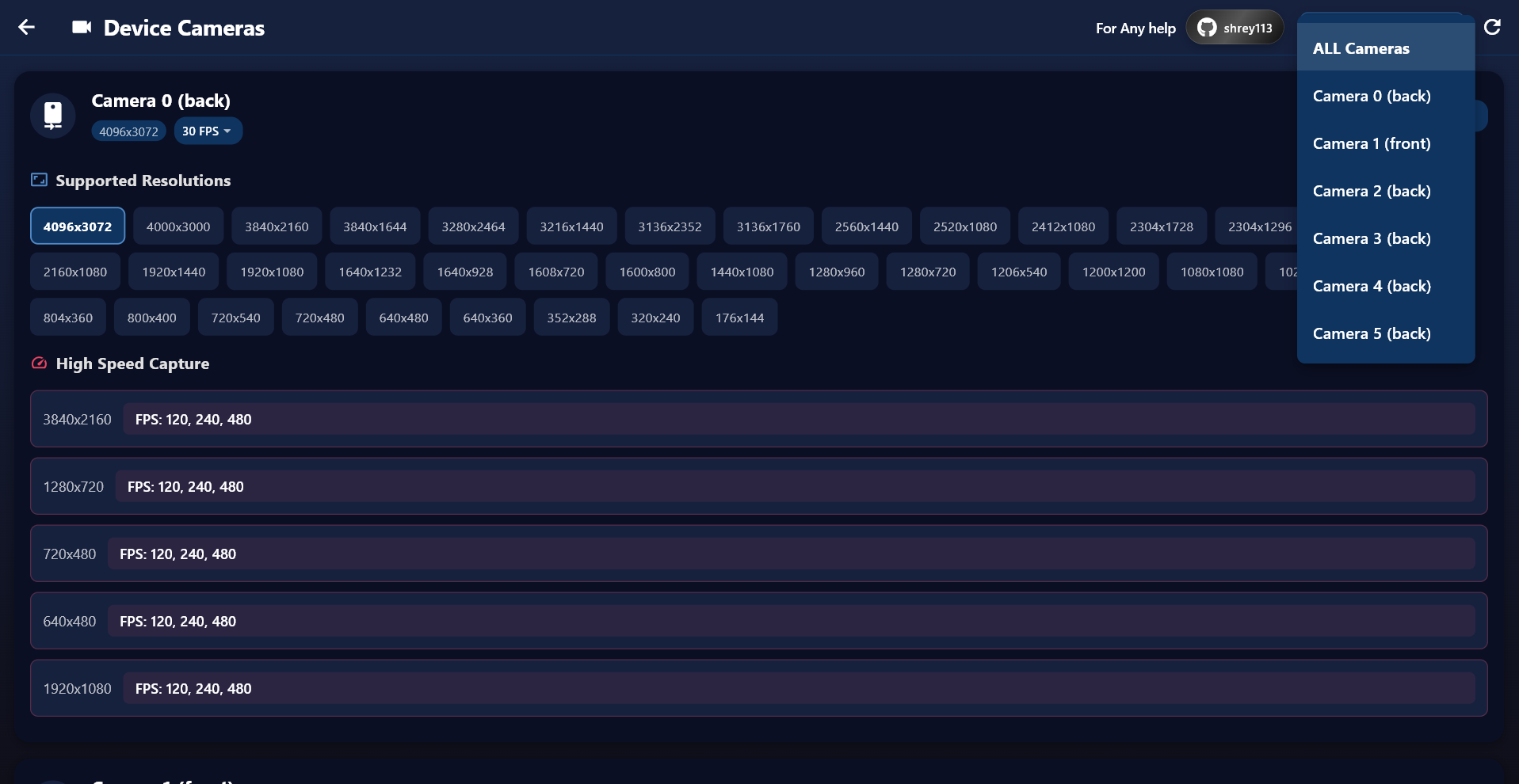
View the Android camera feed on Windows. Use your phone as a webcam, security camera, or for any purpose requiring remote camera access.
ADB extracts system-level contacts from your device. APP mode loads them faster with a rich UI. View, search, and manage your contacts from your PC.
Retrieve and view call logs efficiently. ADB pulls call logs from your device, while APP mode provides instant API-based results with a polished interface.
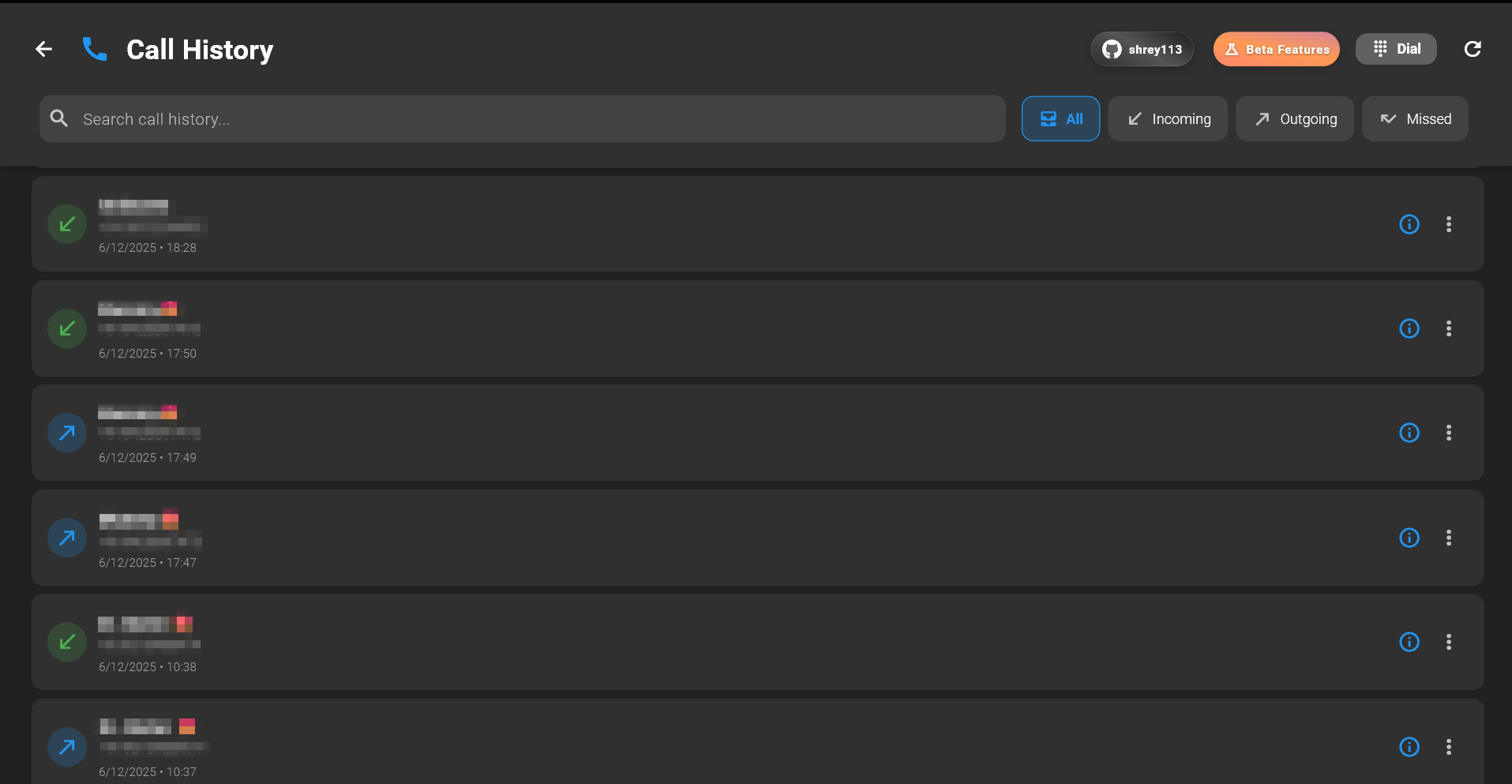
ADB extracts SMS messages from your device. APP mode shows conversations in real time with a messaging-style interface for easy browsing.
Deep integration features designed specifically for Windows users, enabling seamless connectivity and file sharing between your Android device and PC.
Handles all file transfers between the app and the Windows software. This system includes a built-in browser-based interface that allows users without the mobile app to transfer files easily. By scanning a QR code, users can open a secure web link to upload or download files directly over the local network.

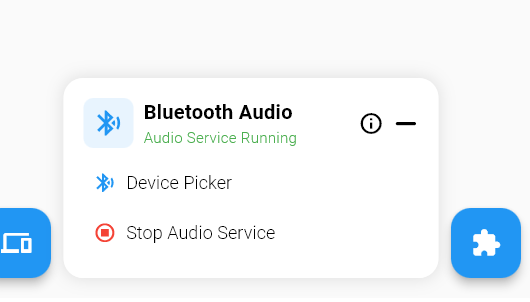
Enables wireless audio streaming from any Android device to Windows via Bluetooth. Your PC functions as an audio receiver, allowing your phone to stream media, calls, and notification sounds directly to the desktop.
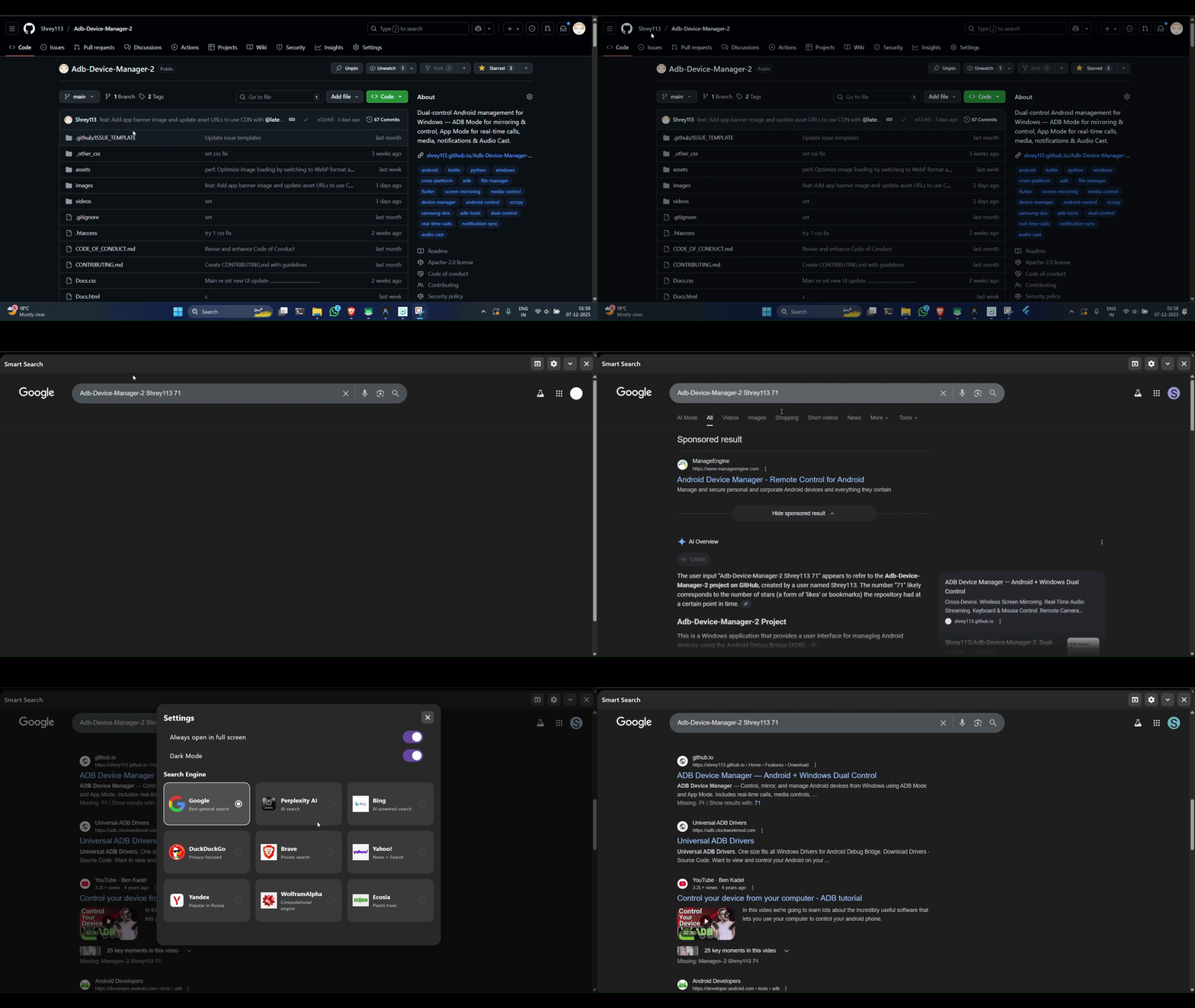
Capture on-screen text and instantly search it on Google or trigger voice typing. Quick access to voice-powered features from your keyboard.
Automatically detects nearby Android devices on the same Wi-Fi network. Uses smart scanning and lightweight discovery protocols to locate available devices, making the pairing and setup process faster and more effortless.
Solutions for the most common problems users encounter
DeX mode may conflict with screen mirroring. Disable Samsung DeX before using ADB mirroring.
Enable "USB Debugging (Security settings)" and "Install via USB" in Developer Options.
Disable aggressive battery optimization. Add app to "Background consumption management whitelist".
Enable "Disable Permission Monitoring" in Developer Options for smoother experience.
Allow "Protected Apps" in battery settings. HDB mode may be required for some features.
Works well with stock Android. Ensure Developer Options are properly enabled.
Android 14 and newer versions restrict sideloaded apps from accessing sensitive permissions like Accessibility and Notification Listener directly.
Your Windows PC cannot see the connected Android device. This usually happens when USB Debugging is disabled, the USB cable is faulty, or proper drivers are not installed.
adb devices in terminal to verify connectionWireless pairing requires Android 11+ and both devices must be on the same Wi-Fi network. Firewall settings or network isolation can block the connection.
If you're still experiencing problems, please visit our Support page to report issues or request help from our community.
We believe in transparency. Here are the current limitations you should be aware of.
Android 14 and newer versions impose stricter background process limitations. Sideloaded apps may require manual permission grants via "Allow restricted settings". Some real-time features may be affected when the companion app is in background.
Audio mirroring may have a slight delay (50-200ms) especially over Wi-Fi. This is inherent to the streaming process. For synchronization-critical tasks, use USB connection which provides lower latency.
Some Android manufacturers (especially Xiaomi MIUI, Samsung One UI) restrict SMS access to system apps. ADB extraction works on most devices, but APP Mode SMS sync may be limited on certain brands.
Multi-window display behavior varies significantly between Android versions and OEM implementations. Split-screen and freeform modes may not be supported on all devices. Best experience is on Android 12+.
Wireless connections depend on your network quality. Unstable Wi-Fi, router issues, or network congestion can cause disconnections. For the most stable experience, use USB connection or ensure a strong Wi-Fi signal.
While you can view and dismiss notifications, interactive notification actions (like "Reply" or "Mark as read") may not work on all apps due to Android security restrictions on third-party notification listeners.
Screen mirroring uses hardware video encoding. Some older devices or devices with limited codec support may experience reduced frame rates or quality. scrcpy falls back to software encoding when needed.
Your data stays with you. Here's how we protect your privacy.
All your data stays on your devices. We never upload contacts, messages, notifications, or any personal information to external servers.
The app works entirely over your local network (LAN/Wi-Fi). There's no cloud service, no account creation, and no data harvesting.
Communication happens directly between your Android device and Windows PC using TCP/WebSocket over your local network.
We will never sell, share, or monetize your personal data. ADB Device Manager is designed as a productivity tool that respects your privacy completely.
Quick answers to the most common questions.
Audio streaming involves encoding on the phone, transmitting over USB/Wi-Fi, and decoding on Windows. Network latency, encoding overhead, and buffer settings all contribute to delay. Try using USB for lower latency, or adjust the audio buffer in settings if available.
Wireless ADB connections can drop due to: unstable Wi-Fi, phone going to sleep, battery optimization killing the app, or network changes. Disable battery optimization for the companion app and keep your phone's "Stay awake while charging" option enabled in Developer Options.
Check that Notification Access permission is granted in Android Settings → Apps → Special Access → Notification Access. On Android 14+, you may also need to "Allow restricted settings" for the companion app. Ensure the app is not being killed by battery optimization.
APP Mode provides deep integration: notifications require Notification Listener, automation features use Accessibility Service, file transfer needs Storage access, etc. Each permission directly maps to a feature. We only request what's needed for functionality — no data is collected or sent anywhere.
This is an Android security feature. When ADB tries to access screen capture or audio, Android shows a permission dialog. This is normal and expected — simply accept to allow mirroring. The prompt may appear each time you start mirroring on some devices.
Yes! ADB Mode features (screen mirroring, audio, APK install, camera) work with just USB Debugging enabled — no companion app needed. The companion app is only required for APP Mode features like notifications, media control, and real-time file sync.
All data stays completely local. Communication happens directly between your Android device and your Windows PC over your local network or USB. There is no cloud, no external servers, and no data collection. See our Security & Privacy section for details.